Onboarding Project | Dezy It, Inc
Hey there, how are you doing? Hope all is great, so then let's start tearing down the Dezy It platform by going through the nitty-gritty steps of this process.
A quick background on the DT (Dezy It) platform: an online sprinting tool that enables teams to plan, organize, experiment, validate, document, and eventually scale their business growth quicker in a linear framework with the help of the AAARRR pirate funnel metrics.
- Define - the goals in the form of "metrics to be achieved"
- Empathize - with users - create personas and journey maps
- Ideation - plan impact vs feasibility of the ideas
- Experiments - select ideas and initiate execution
- Validate - check your hypothesis with the users/customers
- Reiteration - re-engage with the team and revise the execution
Before tearing down the platform, let's understand "how" to reach to the platform and "who" is it intended for?
How do you find Dezy It?
Keyword Search - "Dezy It"

- SEO is Strong (#1) - leads the user to the website on the first result.
- Metadata: Title & Description - As expected. Title presents the tagline/mission of the company and the description - a process to scale the growth of your product.
Keyword Search - "Growth Sprints"

- SEO is Fair (#15) - the user screens through definitions, blogs, competitors, before reac(15th position). This is a good thing as DT has the chance to rank within the top/top 3 by using this unique keyword.
- Metadata: Title & Description - Represents a blog published on the Dezy It website - targeting solopreneurs looking for growth hacking tools.
What is Dezy It? - Landing Page

Landing Page - Teardown
- Logo - Dezy It (DT - Animation): Seems like an Adobe suite application
- which is a good recall - in relation with the design tools suite.
- Header CTA 1 - Login
- leads to login page of https://web.dezyit.com/
- Header CTA 2 - Talk To Us
- leads to Calendly link (Call with Hrshikesh Vellayath - Growth Lead @ Dezy It - 30 mins session
- Current Title:
- Your product growth is slow!
- The title states a problem faced by 90% of SaaS startups. Although a fact, this statement is vague and does not define the 'what' that the platform offers.
- Current Description:
- Accelerate your product-led growth through rapid experimentation and validation.
- The description statement is right on point. Currently misses out on the audience it is supposed to target - the 'who' is it for?
- Hero Section CTA - "Talk To Us"
- Seems like 2 very different approaches:
- Sales-led approach - Talk to us would be recommended for a more sales oriented call structure (generally used for high priced licenses and bulky order deals).
- Service approach - As signing up on the product is free, this button also leads to the service vertical of offerings provided by Dezy It. - Remove
- Looped Video (Purple Overlay):
- Running video in the background. Presents US - American individuals planning, discussing and analyzing collaboratively in a studio space.
- Running video in the background. Presents US - American individuals planning, discussing and analyzing collaboratively in a studio space.

This section of the website represents the "What" of the platform. What it is going to do for you/business? Dezy It aims to be direct with their communication picking up keywords that attract business minds:
- Acquisition (Log aaye kya?)
- Activation (Kaam hua kya?)
- Retention (Log firse aaye kya?)
- Referrals (Aur logo ko bulaya kya?)
- Revenue (Paisa!)
- Profits (Munafa!)
---------------------------------------------
v2.0 (Proposed) Simplified Title:
- Grow your business with your team!
- Growth sprints made easy to work together!
- Collaborate and validate to grow your business!
- Start growing/scaling/expanding with Dezy It!
v2.0 Description:
- Built for teams to accelerate your product-led growth through rapid experimentation and validation.
Ideal Customer Profile (ICP)
| ICP 1 | ICP 2 |
|---|---|---|
ICP Name | Aravindh | Rahul |
ICP Position | PM - Mature Scaling Company | SPM - Mature Scaling Company |
Age / Gender | 28-40 | 32-45 |
Organizational Goals | Become the leading testing infrastructure for the internet | Able to deliver the best imaginable value for our customers |
Role Priorities | Regulating decisions on a flagship product line | Regulating decisions with PM's and various teams, in sync with tech and sales team for a round-action responsibility |
Role in buying process | High (Influencer) | Very High (Influencer/Buyer) |
Reporting Structure | Reports to CPO | Reports to C-level Executives |
Preferred Channels | Email, LinkedIn, Video Meetings | Email, LinkedIn, Video meetings, In-person meetings |
Products used in workplace | Jira, Confluence, Atlassian Suite, Slack | Google Docs, G-Suite, Jira, Notion |
Where do they spend time | Planning product life cycle, coordination between teams, check IvF (Impact vs Feasibility) of features developments | Connecting with users, teams, stakeholders and analyzing feedback across multiple channels of the platform. |
Pain Points |
|
|
JTBD - Jobs To Be Done
- Functional - Streamline the growth process
- Financial - Save time & Increase ROI per member

- Stakeholder Alignment
- Sharing file links with other members
- Getting all members onto one platform
- Top-to-bottom goals for the specific quarter
- Collaboration
- Adding team members to run collaborative sprint
- Data points from multiple users
- Documentation
- All information in one place
- Sharing summary reports with top management
- Track KPI per member to calculate ROI
Onboarding Teardown - Web Platform
Step 1: Click on 'Login' to get started onto the platform.
This is weird as I am a new user and do not understand how to sign up on the platform. There needs to be a clear distinction between Individual/Small Teams and Enterprise/Large Teams - different onboarding experience.
---------------------------------

Loading......loading.....that was quick (AVG load time = 0.7 - 1.1 secs)
---------------------------------
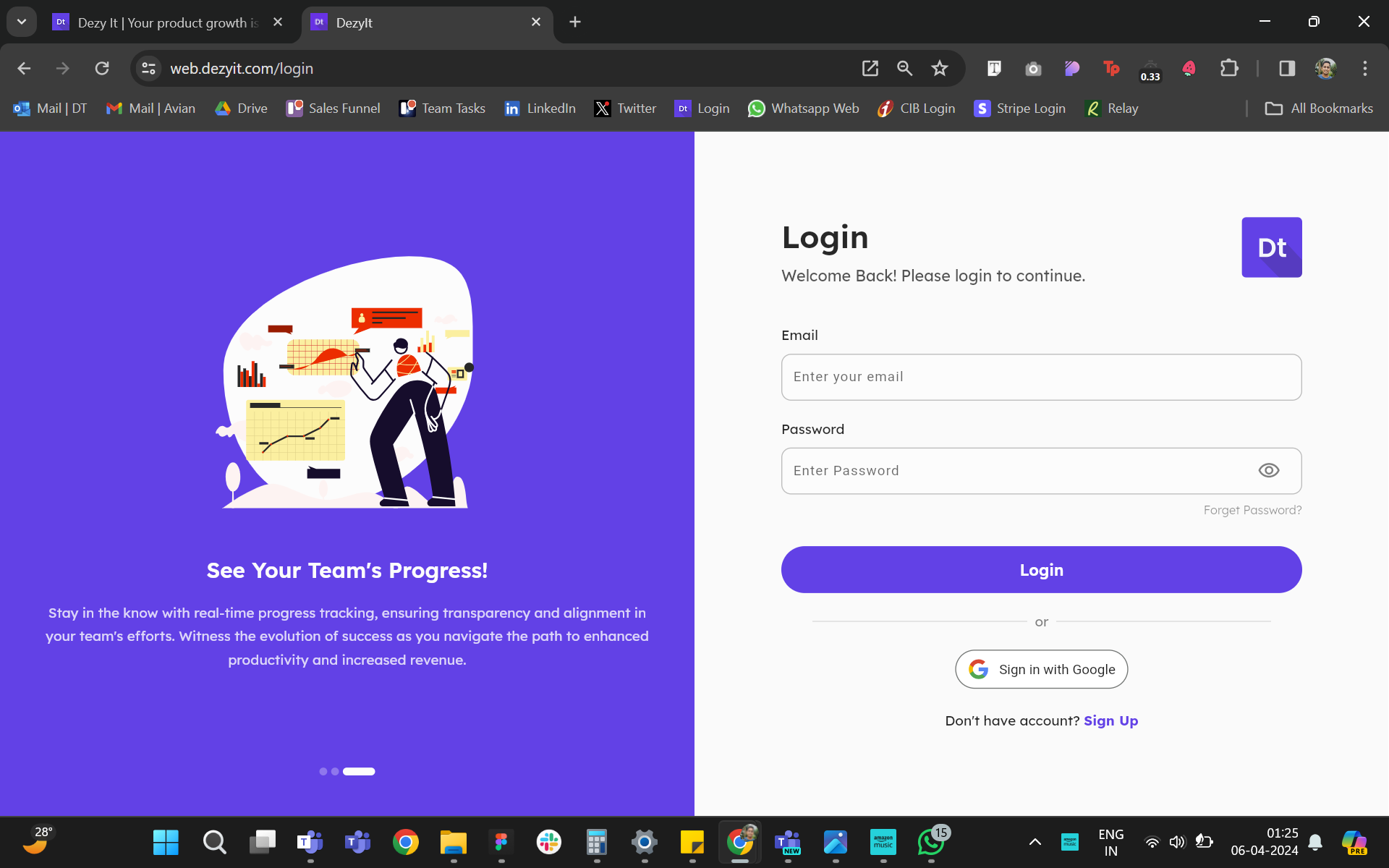
Step 2: Taken into the login page (enter email & password OR Google sign-in)
- Left Side - Carousel (3-slide): The 'why' of the product as seen on the JTBD section.
- Right Side - Login/Sign Up process.
As I do not have an account, I will need to click on the tiny purple CTA 'Sign Up' at the bottom and register.
Major blocker - the website says login, not 'signup' and then I need to click on the <1% of the screen which is the smallest font size to register my account
---------------------------------

Step 3: Switched from Login to Signup and enter the following:
- Main mention: Start your 14 Days Free Trial
- Name
- Password
- Confirm Password
OR
- Sign-in with Google
Notice something weird? The suggestive text is a blind copy of the title of that text field. Not very helpful.

................Ouch!
A cognitive overload: If you push any data in the text fields/leave them incomplete, the error messages are also not helpful. They do not go away even if you add the correct details after that.
---------------------------------
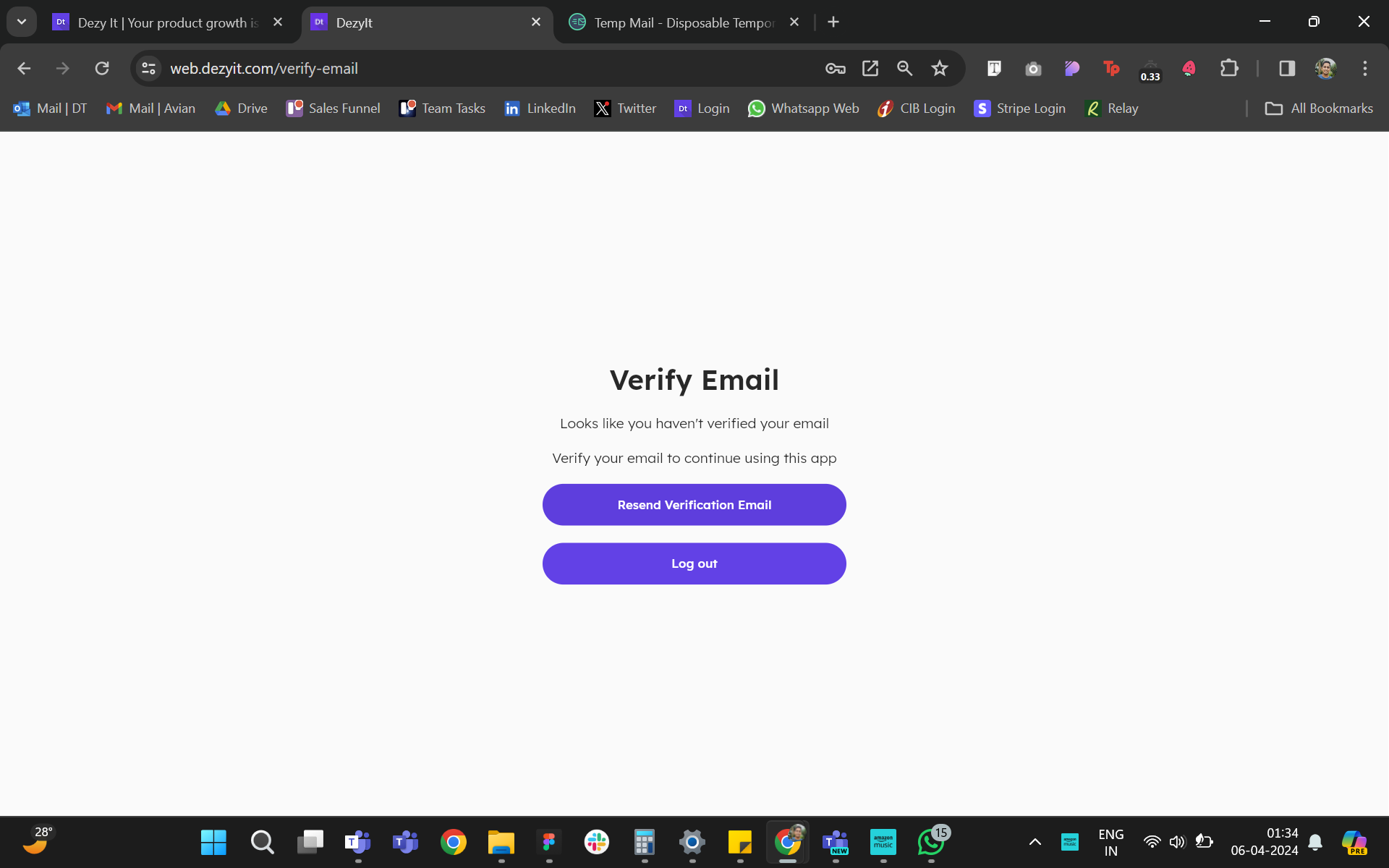
Step 4: Verify Email
- Copy text - Seems negative, the user is onboarding themselves for the first time.
- Suggestion: Should replace the text aiming at 3 areas - greet the new users, which email is it sent to, click on what on that email OR copy-paste?
- CTA - Cannot understand which one is a progressive CTA visually - both are purple and of equal size (importance).
Log Out??? - I haven't even completed my sign-in process yet. Can remove this CTA button
---------------------------------

Step 5: Activate account through email
- Email sender - [email protected]
- Copy text - Seems negative again. Would have been great if the user was greeted well, and made excited about taking a final step in completing their activation.
- Visual style - Nope. Very standard, does not feel like a Dezy It stylized email to be sent. On the contrary, the CTA 'Activate Your Account' is visually prominent - gets the job done.
Log Out??? - I haven't even completed my sign-in process yet.
---------------------------------

Step 6: When user clicks on the Activate CTA on email, they are redirected to the DT login screen.
Login using same credentials.
- Password
OR
- Sign-in with Google
---------------------------------

Step 7: Once logged into the platform, the user is taken through a set of tutorial screens on their workspace:
- The Workspace - Basically, the inventory of sprint files created by you. Personalized to your name - eg: Purvasha's Workspace.
- Introducing the Sprint Card - An actionable card packed with the linear growth sprint framework.
- Bell Icon - Notifications (Added to a sprint, next action on a sprint, and so on.....)
- Profile Icon - To access the profile settings (Name, Email, Change Password, Profile Picture can be edited).

Step 8: Main action - Click on the sprint card - 'My Sprint'
- Introducing the user to the sprint:
- Tutorial Screens (Bottom left): Table of Stages:
- Define - the goals in the form of "metrics to be achieved"
- Empathize - with users - create personas and journey maps
- Ideation - plan impact vs feasibility of the ideas
- Experiments - select ideas and initiate execution
- Validate - check your hypothesis with the users/customers
- Reiteration - re-engage with the team and revise the execution

The user finds initial pre-filled goals in the form of:
- Achieve/Increase/Boost 'X' Metric by 'Y' % the end of the sprint. The sprint goes on from here.....
Nudge: A tooltip appears at the bottom-left of every screen to encourage the user of the step to be taken within that stage.
---------------------------------
Activation Metrics:
As the platform is at a Pre-PMF stage, there is 1 main and 2 sub-metrics that should be looked at:
- Complete 1 Sprint in 7 days - The OG Metric
- Add 3 members during the start of the sprint
- During/Completion of Sprint - Share the link to activate 3 new accounts
Other Metrics:
| | | |
|---|---|---|---|
Retention | Daily/Monthly Milestones | Use the platform for 20/30 days | Early 20% discount for initial 6 months - for every license if in the same workspace. |
Acquisition (New Users) | Content Loop: (S)Printscreen your goals - Share screenshot/sprint goals card on LinkedIn | Once in 90 Days | Generate Referral Code (20% Discount) on sharing - Double sided referral incentives. |
Referral (New Users) | Content Loop: Share a sprint completion blog on | Once in 90 Days |
|
Brand focused courses
Great brands aren't built on clicks. They're built on trust. Craft narratives that resonate, campaigns that stand out, and brands that last.


All courses
Master every lever of growth — from acquisition to retention, data to events. Pick a course, go deep, and apply it to your business right away.





Courses
Built by Leaders From Amazon, CRED, Zepto, Hindustan Unilever, Flipkart, paytm & more










Crack a new job or a promotion with ELEVATE
Designed for mid-senior & leadership roles across growth, product, marketing, strategy & business




Learning Resources
Browse 500+ case studies, articles & resources the learning resources that you won't find on the internet.

Patience—you’re about to be impressed.